


Сompanies use an average of 976 applications to run their operations, yet only 28% of these systems are properly integrated with their crm system. This disconnect creates a maze of data silos that forces employees to manually transfer information between platforms, leading to errors, inefficiencies, and missed opportunities.
CRM integration represents the solution to this widespread challenge. By connecting your CRM platform with other business applications, you can eliminate manual data entry, ensure accurate data flows seamlessly between systems, and create a unified ecosystem where customer data works for your entire organization.
This comprehensive guide explores everything you need to know about CRM integration – from understanding the fundamental concepts to implementing the right strategy for your business. You’ll discover the top benefits, essential integration types, implementation approaches, and best practices that leading companies use to streamline processes and enhance customer experience.
What is CRM Integration?
CRM integration refers to the process of connecting your CRM software with other business applications to automate CRM data flow and eliminate the need for manual data entry between systems. At its core, integration creates a unified customer experience ecosystem where information moves automatically and accurately across all relevant platforms within your organization.
Think of CRM integration as building bridges between isolated islands of information. Your sales data, marketing campaigns, customer service interactions, inventory management systems, and financial data all become interconnected, creating a seamless flow of customer information that updates in real-time across multiple platforms.
This integration process involves several technical components working together. Application programming interfaces serve as the communication channels, allowing different software systems to exchange data automatically. Data mapping ensures that customer information maintains consistency across platforms, while workflow automation triggers actions based on specific events or conditions.
The evolution from standalone CRM systems to integrated platforms represents a fundamental shift in how businesses manage client relationships. Modern crm software connects with everything from accounting software and marketing tools to inventory management systems and customer service platforms, creating a comprehensive view of each customer journey.
When properly implemented, crm system integration transforms disconnected business systems into a coordinated network that supports better decision-making, improved operational efficiency, and enhanced customer experiences and sales processes across all touchpoints.
Why CRM Integration is Critical for Modern Business
Data reveals the stark reality of fragmented business operations: employees switch between applications over 1,100 times daily, causing significant productivity losses and increasing the likelihood of errors in customer data management. This constant context switching doesn’t just waste time – it creates opportunities for critical customer information to fall through the cracks.
The impact on digital transformation efforts is particularly concerning. Research shows that data silos affect 81% of IT leaders’ digital transformation initiatives, preventing organizations from achieving their modernization goals. When clients' data remains trapped in separate systems, companies cannot fully leverage artificial intelligence, automation, or advanced analytics to improve business processes.
Poor data quality carries a substantial financial burden. Studies indicate that inaccurate, incomplete, or inconsistent data costs businesses an average of $9.7 million annually. This cost manifests through duplicated efforts, missed sales opportunities, compliance issues, and decreased customer satisfaction due to inconsistent experiences across touchpoints.
The competitive advantage becomes clear when examining organizations that have successfully implemented integrated crm systems. Research demonstrates that 59% of these organizations improve their close rates through CRM integrations, while companies with connected systems experience 36% higher customer retention rates and 27% increases in sales revenue.
Legacy systems compound these challenges by creating technical barriers to data integration. Many organizations struggle with outdated platforms that require manual CRM data transfer processes, preventing them from accessing real-time customer insights that could drive better business decisions.
The mobile workforce adds another layer of complexity. Sales teams, customer service representatives, and field personnel need immediate access to current customer information, inventory data, and business intelligence regardless of their location. Without proper integration, these teams often work with outdated or incomplete information, leading to poor customer interactions and missed opportunities.
Top 7 Benefits of CRM Integration
Enhanced Data Accuracy and Consistency
Real-time synchronization eliminates the human errors that occur with manual data entry across multiple platforms. When customer information updates automatically between systems, you eliminate the discrepancies that arise from manual data transfer and reduce duplicate customer records that confuse sales teams and frustrate customers.
Inventory systems provide customer service teams with up-to-date stock information, preventing overselling and ensuring accurate delivery promises. For example, when a customer calls asking about product availability, service representatives can instantly access real-time inventory levels from integrated systems, providing confident and accurate responses.
Automated CRM data validation prevents conflicting customer records by establishing consistent data formatting rules across all connected platforms. This ensures that customer contact information, purchase history, and preferences remain uniform whether accessed through sales, marketing, or service applications.
Improved Team Collaboration and Productivity
Integration creates a single source of truth for customer information, enabling sales, marketing, and service teams to work from the same information. This eliminates the confusion and conflicts that arise when different departments maintain separate customer databases with conflicting information.
The reduction in time spent switching between applications and performing manual data entry allows teams to focus on value-added activities like building relationships and developing strategic initiatives. Studies show that integrated systems can reduce administrative tasks by up to 40%, freeing employees to engage in more productive work.
Enhanced mobile access ensures that field representatives, remote workers, and traveling sales professionals can access complete customer information from anywhere. This capability enables more effective customer meetings, faster problem resolution, and improved service delivery regardless of location.

Increased Sales Performance
Integration with lead scoring and sales automation tools enables better prospect prioritization by combining CRM data from multiple touchpoints. Sales teams can identify the most promising opportunities based on comprehensive customer behavior data rather than limited information from a single system.
Real-time access to customer purchase history and current product availability empowers sales representatives to make informed upselling and cross-selling recommendations during customer interactions. This immediate access to relevant CRM data significantly improves conversion rates and average order values.
Automated alerts notify sales teams about optimal engagement times based on integrated customer behavior data from marketing tools, website analytics, and previous interaction history. These intelligent notifications help sales reps connect with prospects when they’re most likely to be receptive.
Superior Customer Experience
Unified customer journey tracking across multiple touchpoints provides a complete view of each customer’s interactions with your organization. Customer service representatives can see previous purchases, support tickets, marketing engagement, and communication preferences, enabling personalized and contextual service delivery through CRM system.
Personalized marketing campaigns become possible when customer behavior data from sales, service, and website interactions combines to create comprehensive customer profiles. This integration enables targeted messaging that resonates with individual customer needs and preferences.
Faster issue resolution occurs when customer service teams have immediate access to complete customer histories, previous support interactions, and current account status. Representatives can quickly understand context and provide solutions without requiring customers to repeat information.
Marketing Campaign Optimization
AI-powered audience segmentation becomes more effective when marketing tools can access combined data from sales interactions, customer service feedback, and campaign engagement metrics. This comprehensive data enables more precise targeting and higher campaign performance.
Cross-channel campaign activation improves when integrated social media management tools and website analytics provide a unified view of customer engagement across all touchpoints. Marketing teams can coordinate messaging and timing across channels for maximum impact.
Performance tracking and ROI measurement become more accurate when marketing platforms integrate with sales data and customer service metrics. This integration provides clear visibility into how marketing efforts translate into actual business results.
Operational Efficiency
Automated workflow triggers between crm and business applications eliminate manual processes that create bottlenecks and delays. For example, when a sales opportunity closes, integrated systems can automatically update accounting software, trigger fulfillment processes, and notify customer service teams.
The elimination of manual processes reduces the risk of errors and ensures consistent execution of business procedures. Automated workflows maintain quality standards while reducing the time and resources required for routine operations.
Streamlined reporting and analytics become possible when data from numerous systems combines into centralized dashboards. Management teams can access comprehensive business intelligence without manually compiling information from disparate sources.
Business Scalability
Flexible platform architecture supports the addition of new systems without disrupting existing workflows. As businesses grow and add new tools, integrated architectures can accommodate expansion without requiring complete system overhauls.
Reduced IT burden occurs when standardized integration processes eliminate the need for custom coding and maintenance of multiple point-to-point connections. This efficiency allows IT teams to focus on strategic initiatives rather than maintaining basic system connectivity.
Support for expanding into new markets becomes easier when integrated systems can quickly adapt to new business requirements. Research shows that 52% of organizations report successful market expansion initiatives supported by their integration capabilities.
Essential Types of CRM Integrations
Marketing Automation Integration
Email marketing platforms like Mailchimp, HubSpot, and Pardot connect with crm systems to enable automated campaign management based on customer data and behavior triggers. These integrations allow marketers to send personalized messages based on sales stage, purchase history, and customer preferences stored in the CRM software.
Social media management tools provide unified customer engagement tracking across platforms like Facebook, LinkedIn, and Twitter. When integrated with your crm, social interactions become part of the customer record, enabling more comprehensive relationship management and social selling opportunities.
Web analytics platforms deliver visitor behavior insights directly into customer records, enabling more effective lead scoring and sales prioritization. Integration with tools like Google Analytics and Adobe Analytics helps sales teams understand prospect interests and engagement levels before making contact.
Marketing attribution tools measure campaign effectiveness across channels by connecting marketing touchpoints with actual sales results stored in the crm system. This integration provides clear ROI visibility for marketing investments and helps optimize budget allocation across channels.
Sales Tools Integration
Proposal and quoting software like PandaDoc and DocuSign streamline the sales process by automatically populating customer information and tracking document status within the CRM software. Sales representatives can generate professional proposals and contracts without manual data entry while maintaining complete visibility into the approval process.
Phone and VoIP systems enable automatic call logging and provide customer data access during conversations. Integration with platforms like RingCentral or Zoom Phone ensures that all customer interactions are recorded and accessible to team members who may handle future communications.
Lead generation tools provide enriched prospect data that automatically updates customer records with company information, contact details, and industry insights. Platforms like ZoomInfo and Lead411 enhance lead quality and provide sales teams with valuable conversation starters.
Sales enablement platforms manage content and training resources while tracking usage analytics within the crm system. These integrations help sales managers understand which materials are most effective and ensure representatives have access to current marketing collateral during customer interactions.
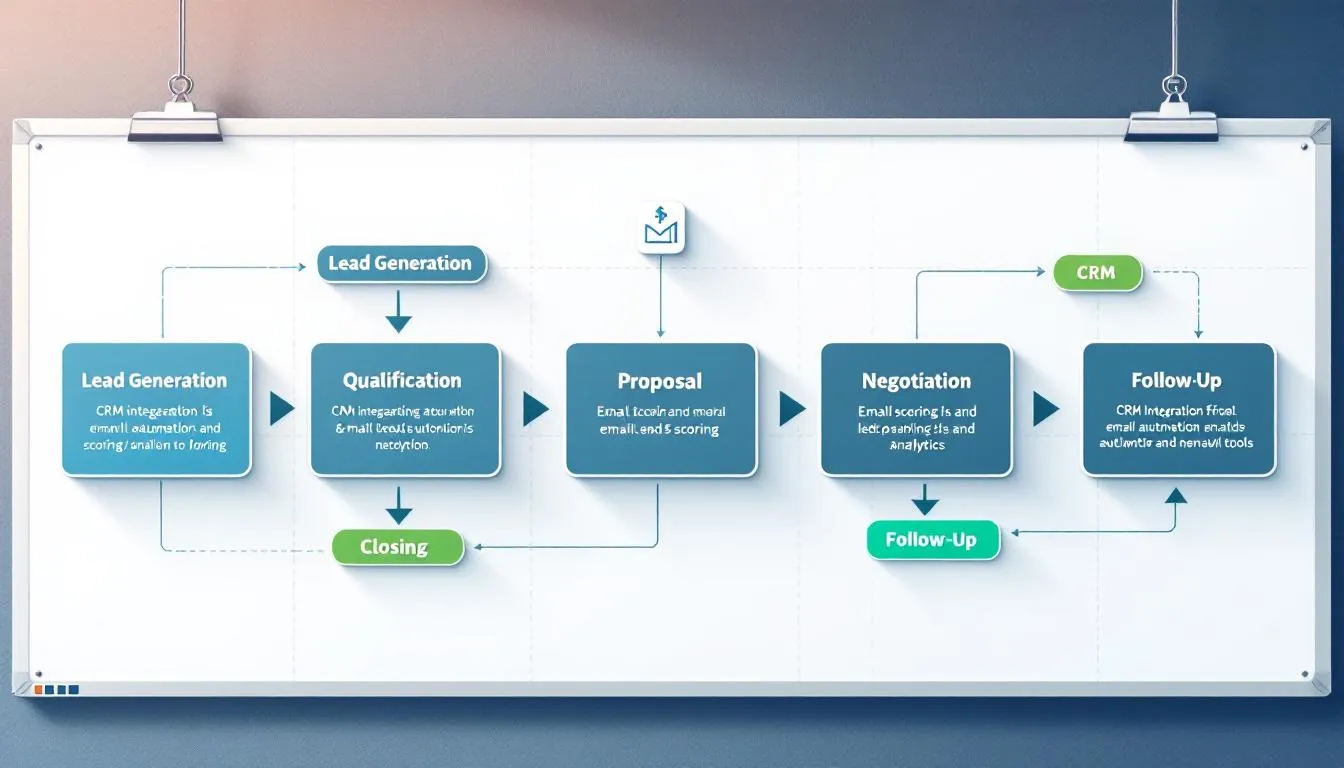
Customer Service Integration
Help desk systems like Zendesk, Freshdesk, and ServiceNow enable comprehensive ticket management while maintaining complete customer context. When integrated with CRM platforms, service representatives can access purchase history, previous interactions, and customer preferences without switching between applications. This level of CRM integration improves response accuracy and reduces handling time.
Live chat platforms provide real-time customer interaction capabilities while maintaining conversation history within customer records. Integration with tools like Intercom or LiveChat ensures that all customer touchpoints are documented and accessible to future service interactions. Strong CRM integration also helps align support conversations with sales and marketing activities.
Knowledge base tools ensure consistent customer support information by connecting frequently asked questions and solutions with customer records. This integration helps service teams provide accurate information while identifying opportunities for process improvements.
IoT device integration enables proactive service and health monitoring for products that generate usage data. When connected to crm systems, IoT information can trigger service alerts, warranty notifications, and upselling opportunities based on actual product performance.
E-commerce Integration
Online store platforms like Shopify, WooCommerce, and Magento synchronize order information, customer purchase history, and product preferences with CRM systems. This integration provides sales and service teams with complete visibility into customer buying behavior and enables personalized recommendations.
Payment gateways connect transaction data with customer records for comprehensive billing management and financial tracking. Integration with processors like Stripe or PayPal ensures that payment status, billing addresses, and transaction history are immediately accessible to relevant teams.
Inventory management systems provide real-time stock level updates that inform customer interactions and sales processes. When CRM platforms integrate with inventory systems, sales teams can make accurate delivery promises while customer service can proactively address potential supply issues.
Shipping and logistics platforms track order fulfillment status and delivery information within customer records. Integration with carriers like UPS, FedEx, and DHL enables proactive customer communication through CRM system about shipping status while providing service teams with delivery context for customer inquiries.
ERP System Integration
Financial management systems like QuickBooks, Sage, and NetSuite synchronize accounting data with customer records for comprehensive financial tracking. This enterprise resource planning integration ensures that sales teams understand customer payment history and credit status while finance teams have visibility into sales pipeline information.
Supply chain management tools provide a comprehensive view of business operations by connecting inventory, purchasing, and fulfillment data with customer demands. This integration enables better forecasting and resource allocation based on actual customer needs and buying patterns.
Human resources platforms track employee and customer interaction data for performance management and training purposes. Integration between HR systems and CRM platforms helps identify top performers and training needs based on actual customer interaction outcomes.
Project management systems coordinate resource allocation and timeline management with customer requirements and delivery commitments. When integrated with CRM systems, project tools ensure that customer expectations align with operational capabilities and resource availability.
→ Read more: Integration with ERP: Complete Guide to Connecting Your Business Systems
Communication and Collaboration Integration
Slack and Microsoft Teams integrations enable team notifications and customer data sharing within collaboration platforms. Team members receive alerts about important customer activities, deal progress, and service issues without leaving their primary communication tools.
Gmail and Outlook integration provides email conversation tracking and contact management within familiar email interfaces. Sales and service teams can access customer records, log communications, and schedule follow-ups directly from their email applications.
Calendar applications enable meeting scheduling and follow-up automation based on customer data and interaction history. Integration with Google Calendar or Outlook ensures that customer meetings include relevant context and appropriate attendees.
Video conferencing platforms maintain customer meeting history and recordings within CRM software. Integration with Zoom, WebEx, or Teams ensures that important customer conversations are documented and accessible to team members who couldn’t attend live sessions.
How to Implement CRM Integration: 4 Main Approaches
Native Built-in Integrations
Pre-configured connections provided by CRM software and vendors require minimal setup and technical expertise, making them an attractive option for organizations with limited IT resources. Popular CRM systems often offer 100+ native integrations with commonly used business applications, covering everything from email marketing to accounting software.
The primary benefit of vendor-maintained compatibility lies in automatic updates and ongoing support. When software platforms update their interfaces or functionality, native integrations typically continue working without requiring manual intervention or additional development work.
However, customization options for native CRM integrations remain limited. Organizations with unique business processes or specialized requirements may find that pre-built connections don’t accommodate their specific needs for data mapping or workflow automation.
The available third-party systems during CRM integration may also be restricted to those chosen by the vendor, potentially excluding specialized tools or industry-specific applications that your organization relies on for critical business processes.
API-Based Integration
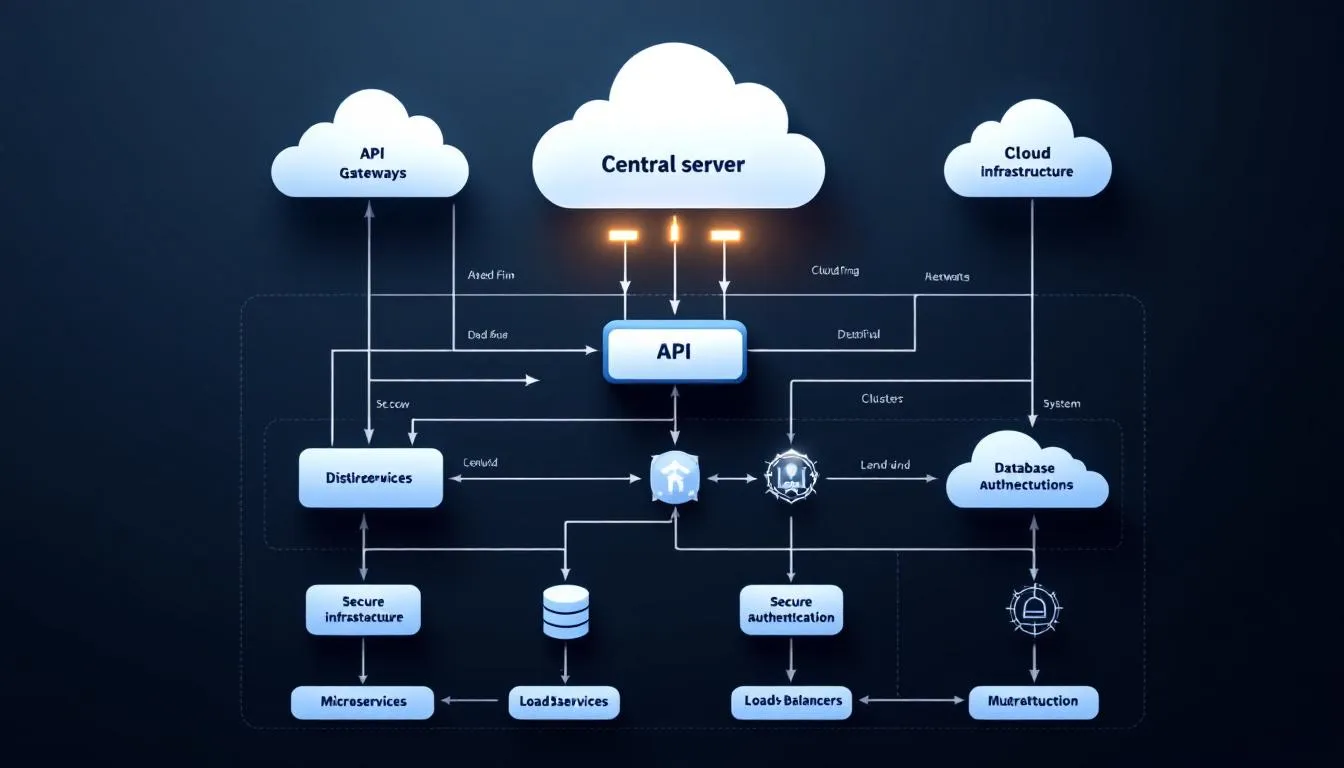
The three-tier API architecture provides the most flexible approach to CRM integration, with system APIs handling direct data connections, process APIs managing business logic, and experience APIs delivering user interfaces. This structure enables sophisticated data integration scenarios and advanced API integration patterns that accommodate complex business requirements.
System APIs pull data from specific platforms like UPS, FedEx, and USPS for shipping integration, or connect with payment processors, inventory systems, and marketing tools. These connections provide real-time access to operational data that enhances customer interactions and business decision-making.
Process APIs combine multiple data sources to support comprehensive business functions like order fulfillment, customer onboarding, or sales forecasting. By orchestrating data from various systems, process application programming interfaces enable automated workflows that span multiple departments and applications.
Experience APIs provide complex customer service representative views that combine information from sales history, support tickets, inventory status, and marketing engagement. These comprehensive interfaces enable more effective customer interactions and faster problem resolution.
The technical expertise required for CRM API integration includes understanding data formats, authentication methods, and error handling procedures. Organizations must either develop internal capabilities or partner with integration specialists to successfully implement and maintain API integration across systems.
Third-Party Integration Platforms
Zapier connects CRM integration workflows with over 2,000 business applications without requiring coding expertise, making integration accessible to business users rather than just technical teams. The platform’s visual workflow designer enables non-technical users to create automated processes that connect customer data across multiple customer relationship management systems.
MuleSoft and Microsoft Power Platform provide enterprise-grade CRM integration management for larger organizations with complex requirements. These platforms offer robust data transformation capabilities, advanced security features, and scalability to support high-volume data synchronization across global operations.
Integration Platform as a Service (iPaaS) solutions offer cloud-based connectivity that reduces infrastructure requirements and maintenance overhead. Organizations can focus on business outcomes rather than technical implementation details while benefiting from enterprise-level integration capabilities.
Pre-built connectors accelerate implementation timelines by providing tested connections for popular business applications. These connectors often include data mapping templates and workflow examples that help organizations achieve faster time-to-value from their CRM integration investments.
Visual workflow designers enable business users to understand and modify integration processes without technical expertise. This accessibility promotes broader adoption and enables faster adaptation to changing business requirements.
Custom Integration Development
Direct coding approaches provide unlimited flexibility for organizations with unique business requirements or proprietary systems that don’t offer standard integration options. Custom development enables precise control over data transformation, business logic, and user interfaces, and highly specific CRM integration workflows.
Technical expertise requirements include proficiency in programming languages, database management, and integration frameworks. Organizations must either hire specialized developers or allocate existing technical resources to data integration projects, which can impact other development priorities.
Full customization control enables organizations to implement exact business logic and data handling requirements that may not be possible with pre-built solutions. This flexibility is particularly valuable for companies with complex compliance requirements or unique operational processes.
Resource considerations include development time, ongoing maintenance, and the need for specialized skills. Custom integrations require more upfront investment and continued technical support compared to other approaches, but they provide maximum flexibility and functionality.
CRM Integration Best Practices
Data Security and Compliance
Implementation of encryption for data transmission between integrated systems protects customer information during transfer and storage. Industry-standard encryption protocols ensure that sensitive data integration remains secure while moving between CRM interation workflows and other business applications.
GDPR and CCPA compliance considerations require careful attention to data handling practices, customer consent management, and the ability to fulfill data deletion requests across all integrated systems. Organizations must ensure that privacy controls extend throughout their integrated technology stack, , including any CRM integration touchpoints.
Regular security audits and access control management help identify potential vulnerabilities in integrated systems. These assessments should evaluate not only individual applications but also the security of data flowing between connected platforms.
Backup and disaster recovery planning for integrated data systems requires coordination across multiple platforms and vendors. Organizations must ensure they can restore complete customer data ecosystems, not just individual application databases.
Data Quality Management
Data mapping strategies ensure consistent field formatting across systems by establishing clear relationships between equivalent data elements in different applications. Proper mapping prevents information loss and maintains data integrity during CRM integration and other synchronization processes.
Duplicate detection and merging processes for customer records become critical when multiple systems contribute customer information. Automated deduplication rules help maintain clean databases while manual review processes handle complex cases that require human judgment.
Data validation rules prevent incomplete or incorrect information from synchronizing across integrated systems. These rules should check for required fields, proper formatting, and logical consistency before allowing data to update in connected applications.
Regular data cleansing schedules maintain database integrity by identifying and correcting inconsistencies that develop over time. These processes should address formatting issues, outdated information, and data quality problems that affect system performance and user productivity.
Integration Testing and Monitoring
Comprehensive testing protocols before production deployment should simulate real-world usage patterns and data volumes. Testing should include error scenarios, high-volume periods, and edge cases that might cause CRM integration failures.
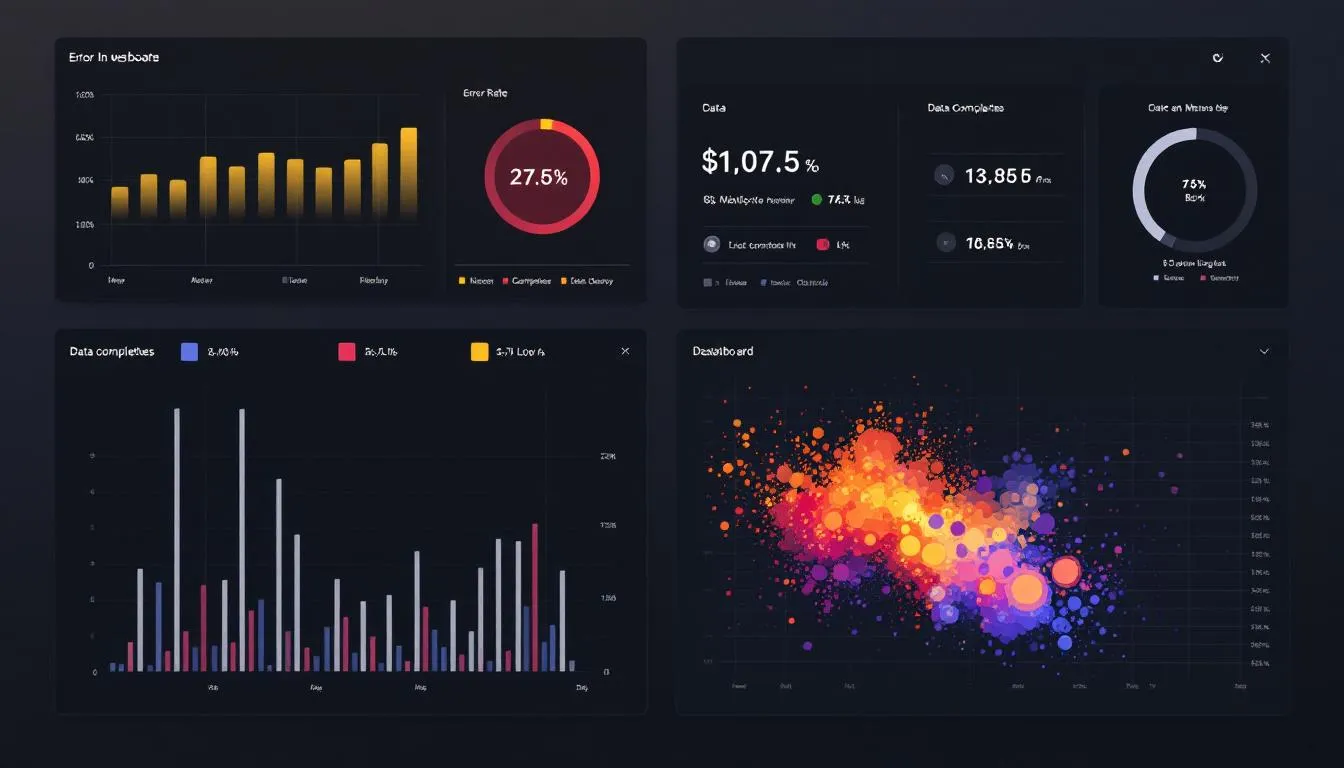
Real-time monitoring tools for integration performance and error detection enable proactive identification of issues before they impact business operations. Monitoring should track data synchronization status, system performance, and user experience metrics.
Rollback procedures for integration failures and system recovery ensure business continuity when problems occur. Organizations should have tested processes for reverting to previous configurations and restoring data consistency across integrated systems.
Performance optimization for high-volume data synchronization ensures that CRM integrations can handle peak business periods without degradation. This optimization may include data batching, prioritization rules, and resource allocation strategies.
User Training and Adoption
Comprehensive training programs for teams using integrated CRM systems should address new workflows, data access procedures, and troubleshooting techniques, and the practical impact of CRM integration on daily tasks. Training should be role-specific and include hands-on practice with realistic scenarios.
Change management strategies facilitate smooth transitions to integrated workflows by addressing user concerns, communicating benefits, and providing ongoing support during the adoption period. Successful change management reduces resistance and accelerates productivity improvements.
Documentation of new processes and integration capabilities provides reference materials for ongoing use and new employee onboarding. Documentation should include workflow diagrams, step-by-step procedures, and troubleshooting guides.
Ongoing support and troubleshooting resources help users adapt to integrated systems and resolve issues in CRM integration platform quickly. Support may include help desk services, user communities, and regular check-ins with key users to identify improvement opportunities.
Choosing the Right CRM Integration Strategy
Assessment criteria for CRM Integration strategy should include business size, available technical resources, and integration complexity requirements. Small organizations with limited IT staff may benefit from native integrations, while larger enterprises might require custom development for complex business logic.
Cost-benefit analysis should compare native, API, and third-party platform approaches by evaluating implementation costs, ongoing maintenance expenses, and expected business value. Consider both direct costs and indirect benefits like improved productivity and customer satisfaction in your CRM integration strategy.
Timeline considerations for implementation and deployment phases should account for planning, development, testing, and user training requirements. Different approaches to CRM integration have varying implementation timelines, with native integrations typically faster than custom development projects.
Scalability requirements for future business growth and system additions should influence the choice of integration strategy. Organizations planning significant expansion should choose approaches that can accommodate new applications and increased data volumes without major redesign.
Vendor evaluation checklists should include criteria for support quality, integration marketplace offerings, and long-term viability. Consider factors like vendor financial stability, product roadmap, and customer references when selecting integration partners.
The technical capabilities of your organization play a crucial role in determining the most appropriate approach. Organizations with strong IT departments may prefer API-based solutions for maximum flexibility, while those with limited technical resources might choose platform-based approaches for easier management.
Business process complexity affects CRM integration requirements significantly. Simple data synchronization needs may be well-served by native integrations, while complex workflow automation might require custom development or sophisticated platform solutions.

Future of CRM Integration
AI-powered automation is reducing manual configuration requirements for CRM integration by using machine learning to suggest optimal data mappings, identify integration opportunities, and automatically resolve common synchronization issues. This intelligence makes integration more accessible to business users while reducing the burden on technical teams.
Real-time data streaming capabilities enable instant cross-system updates that support immediate business decisions and customer interactions. Stream processing technologies allow organizations to react to customer behavior and business events in real-time rather than waiting for batch processing cycles.
Low-code integration platforms are enabling business users to create connections between applications without traditional programming skills. These visual development environments democratize integration capabilities and reduce dependence on scarce technical resources.
Industry-specific CRM integration templates accelerate implementation timelines by providing pre-configured connections for common business scenarios in specific sectors. These templates include data mappings, workflow automation, and best practices developed for particular industries.
The convergence of artificial intelligence, machine learning, and integration platforms is creating intelligent data systems that can adapt to changing business requirements automatically. These systems will increasingly predict integration needs, optimize data flows, and suggest improvements based on usage patterns.
Robotic process automation is enhancing CRM integration capabilities by automating business processes that span multiple systems and require human-like decision-making. RPA bridges gaps between applications that don’t have direct integration capabilities.
The shift toward composable business architectures enables organizations to quickly adapt their technology stacks by connecting best-of-breed applications rather than relying on monolithic enterprise systems. This flexibility in CRM integration supports faster innovation and response to market changes.
Conclusion
CRM integration transforms disconnected business systems into a unified ecosystem that enhances customer experience, improves operational efficiency, and drives business growth within a single CRM platform. Organizations that successfully integrate their CRM platforms with other business applications see significant improvements in productivity, data accuracy, and customer satisfaction.
The journey to effective CRM integration platform requires careful planning, appropriate technology selection, and commitment to best practices in data management and user adoption. Whether you choose native integrations, API development, third-party platforms, or custom solutions, success depends on aligning your integration strategy with business objectives and technical capabilities.
The benefits of CRM platform integration extend far beyond simple data synchronization. Integrated systems enable automated workflows, provide comprehensive customer insights, and support the agility needed to compete in today’s fast-paced business environment. Organizations that invest in integration capabilities position themselves for sustainable growth and enhanced client relationships.
Start by assessing your current systems, identifying high-impact integration opportunities, and developing a phased implementation plan that delivers value quickly while building toward a comprehensive integrated environment. The time invested in proper CRM integration planning and execution pays dividends through improved efficiency, better customer experiences, and accelerated business growth.